
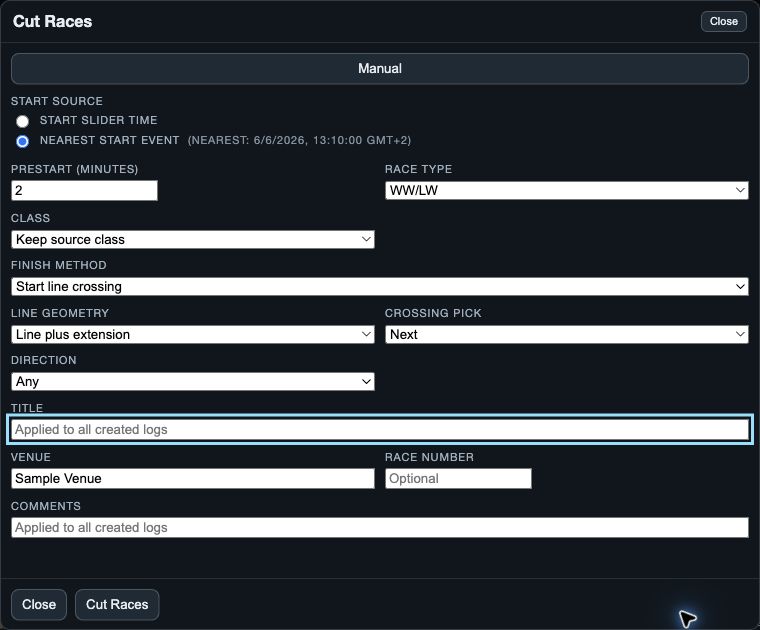
When VKX Auto appears
Open the VKX logs you want to cut, choose Cut Races or Cut Race, and look for VKX Auto beside Manual. It appears only when SailViewer finds an eligible VKX dataset. If it is absent, use the Manual cutter or check that the intended VKX logs are open.
VKX Auto uses recorded Vakaros in-race intervals and RaceSense start-mark information. It is a separate workflow from importing a public Vakaros event by ID.
1. Choose and inspect the dataset
Choose VKX Auto. If more than one dataset is offered, select the one that represents the race day you intend to create. Set Starting race number and Prestart before creating anything.
Read every preview row. It shows the numbered race, gun time, boat coverage, start-mark timing information and any boats skipped from that planned race. A preview is a plan to check, not proof that all boats will produce the intended result.
- Starting race number labels the first planned output; later preview races increment from it.
- Prestart keeps the chosen number of minutes before each planned gun where recording coverage exists.
- Skipped boats need review before you rely on a complete fleet comparison.
2. Create the planned race logs
Choose Cut VKX Races on native or Cut Races on web/desktop. Wait for the completion result and read the created, existing, skipped and failed counts. The workflow creates separate race logs; it does not overwrite the source VKX logs.
Close before starting creation to abandon the current draft. Closing the cutter after creation is not an undo. On native, newly created logs do not automatically become the open analysis fleet, so find the result in Library and open the race set you want to check.
3. Check each new race before analysis
- Confirm the title, race number and expected boats in Library.
- Check the planned gun and available prestart against the original recording.
- Inspect the first and last points for every boat before comparing performance.
- If a boat was skipped or failed, read the result and source coverage before repeating the cut.