
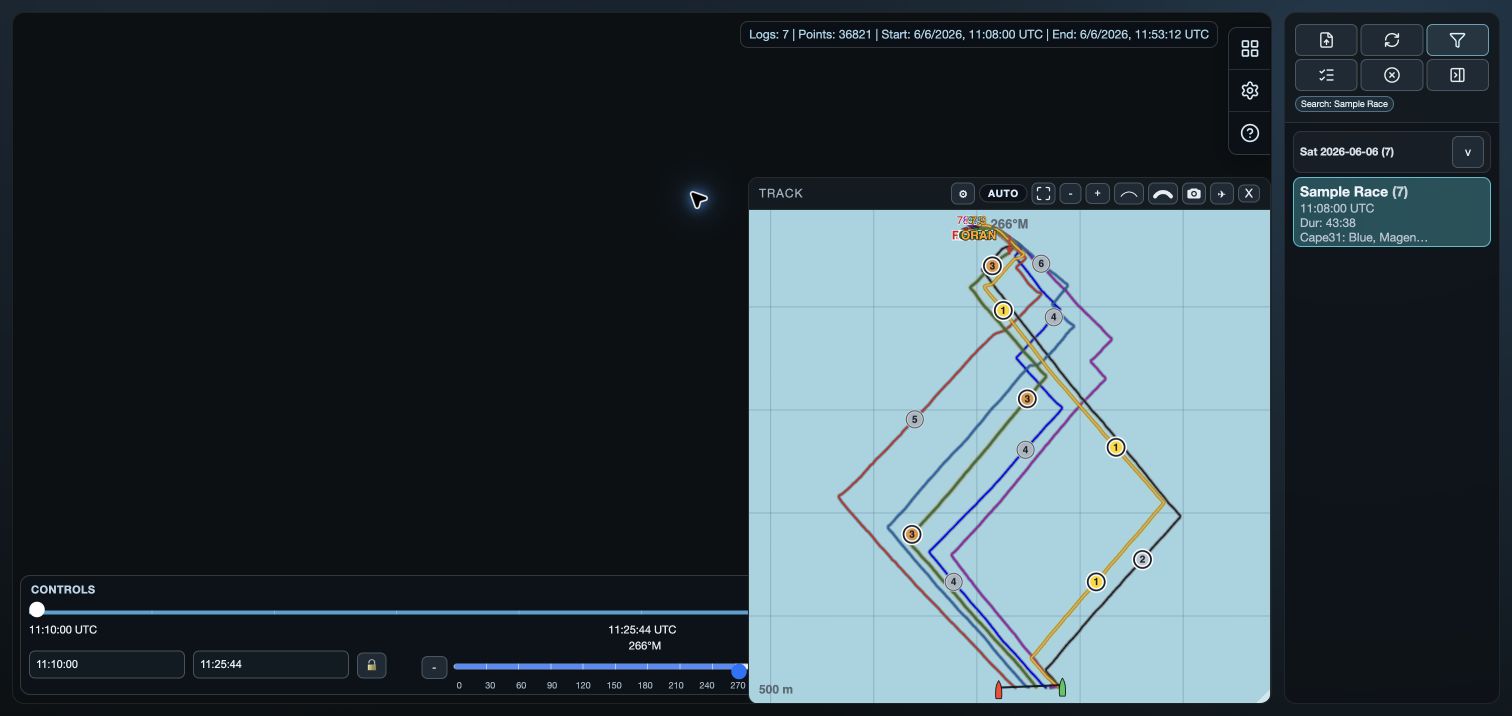
Before you start
Manual cutting uses every open log.
Use source recordings that cover the start, required prestart and finish reference.
1. Check the wind and course
Set or check Wind before selecting a wind-axis finish method; check SWD is not reversed by 180°.
Check course lines and events before opening the cutter.
2. Position the start and finish reference
Set Start at the gun or near the intended start event.
Set End as the finish-search reference, not as every boat’s finish time.
3. Open the cutter
Open the boats, then choose Cut Races in the Time/Wind controls below the analysis windows.
The dialog may suggest a nearby start event and a finish method. Check each choice rather than accepting it automatically.
Choose Manual when VKX Auto is also available.
4. Choose the start and prestart
Start slider time uses Start; Nearest start event finds a matching event within three minutes.
Prestart includes the chosen duration before the race start within recording coverage.
Set Race type, Class or Sailing class, Title, Venue, Race Number and Comments as required.
5. Choose how each boat finishes
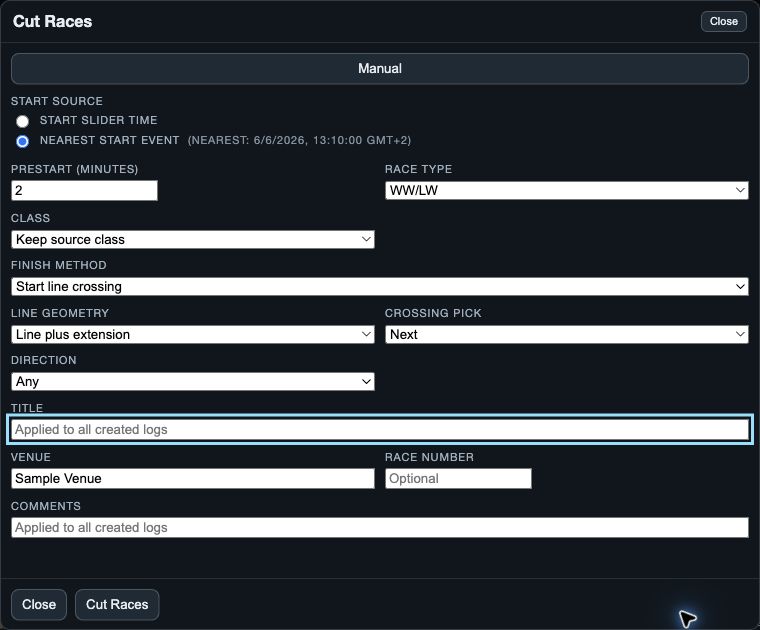
Choose Start line crossing, Finish line crossing, or reference-boat distance matching.
For a line method, set Line geometry, Crossing pick and Direction.
For the distance method, set Reference boat and place End at that boat’s intended finish.
6. Create and reopen the race logs
Choose Cut Races to create the new race logs. Wait for the operation to finish before opening the results.
Read the created, skipped and failed result before repeating the action.
After a successful creation, open the new title from Library.
Check Library before retrying a failed creation.
Close or dismiss before creation abandons the draft and does not cut originals.
7. Check the result before analysing
- Check each boat identity, start and prestart coverage.
- Check each last point against the intended finish.
- Check the applied line, crossing and direction settings.
- An unavailable finish can use the boat’s last recorded sample.
If the result is not what you expected
- Wrong start: use Start slider time or move Start nearer the intended event.
- Unavailable line method: check that the line has two valid endpoints.
- Unavailable distance method: check the reference boat’s distance data.
- Unexpected end: recheck End, Crossing pick and Direction.