
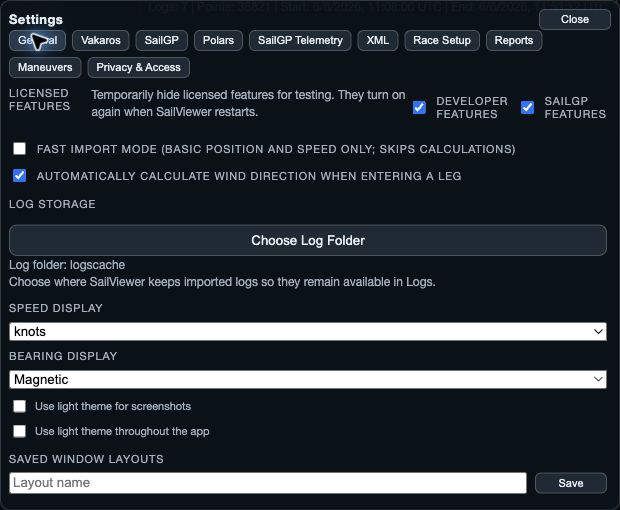
What Settings controls
Settings changes how SailViewer presents and prepares analysis. It does not edit a log’s identity; use Library or Edit Open Logs for that.
- Display: speed units, True or Magnetic bearings, app theme and screenshot theme.
- Analysis Defaults: automatic wind-direction calculation when entering a leg.
- Race Setup: wind-angle source, minimum leg distance, offset detection and rounding-search settings.
- Maneuvers: tack, gybe, rounding and special-moment detection settings.
1. Know when a change takes effect
Display and Analysis Defaults apply immediately on the native Settings surface. Done closes Settings; it is not a second confirmation for those changes.
Race Setup and Maneuvers use a staged draft on native. Change the draft, then choose Save to commit it. Cancel discards the draft and leaves the prior settings in force. A nested value picker is also staged until its confirmation.
2. Set readable units and bearings
Choose knots, km/h or m/s for Speed Display. Choose True or Magnetic for Bearing Display and use that reference consistently when comparing headings, wind or course notes.
Use the app and screenshot light-theme settings when a brighter surface helps review or sharing. On tablets, Always show window controls is also available in the native display settings.
3. Change calculations deliberately
In Race Setup, adjust one setting at a time and compare the legs and results before changing another. Minimum leg distance and offset detection affect how the course is recognised.
In Maneuvers, set detection thresholds and analysis context to suit the boat and recording quality. Saving Maneuvers applies the complete draft and can trigger the associated detection update, so review the detected maneuvers after saving.