
What a Fleet Role changes
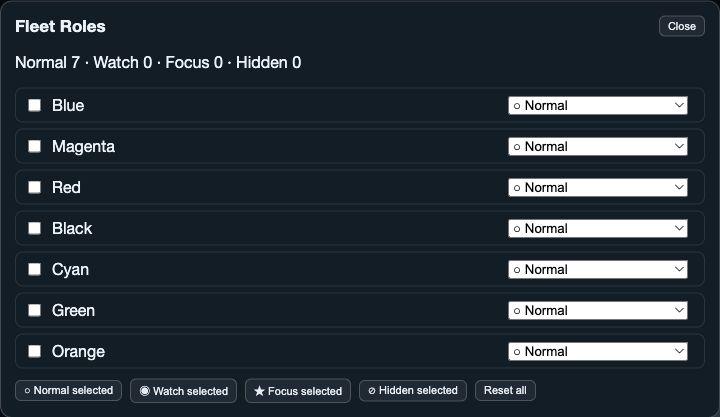
Fleet Roles apply only to logs that are open. Normal is standard, Watch is emphasised, Focus is strongest, and Hidden is omitted from presentation while still contributing to fleet calculations.
A role is session-only. It does not edit boat metadata, close or delete a log, change the selected time range, or turn a Library row into a selection.
1. Assign roles to the open fleet
Open Fleet Roles from a supported analysis view’s settings or native Fleet Roles entry. The editor lists open logs and shows counts by role. Assign a role per boat, or select several boats and set one role for that selected group.
Only a Focus boat can become the Primary reference. Choose Make Primary or Make Primary Reference for the Focus boat you want to use as the primary comparison reference.
2. Reset for the next comparison
Use Reset or Reset All to restore the session’s role assignments. Reopen Fleet Roles after changing the open fleet: the editor is built from the logs currently open.
- Use Normal for the general fleet.
- Use Watch for boats you want to keep visibly prominent.
- Use Focus and a Primary reference when one boat anchors the comparison.
- Use Hidden to reduce visual clutter without removing the boat from calculations.