
Open logs and selected rows mean different things
Opening a row adds its log to the current analysis session. Selecting rows in Manage mode chooses records for a Library operation such as Edit, Archive or Delete. A selected row is not automatically open, and an open log is not automatically selected.
A compact title group opens missing logs, or closes all of that group when every member is already open. A single record row toggles open and close.
1. Find the race you need
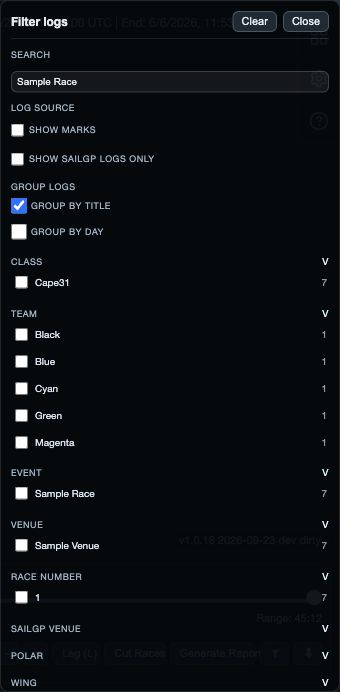
Use Search for title, file name, original file name, event, venue, race number, class, team, boat number, date and other stored identity fields. Filters can narrow class, team, event, venue, race number, date and open state.
- Clear search and filters before concluding that a log is missing.
- Group by title to keep the boats from one race together.
- Group by day when you want to browse a regatta chronologically.
- Use Refresh on web/desktop after external storage changes when it is available.
2. Manage selected records
Enter Manage on web/desktop or use the mobile selection/actions menu. All Visible selects only the records currently matching the active search and filters. Choose None to clear that Library selection.
Edit changes only the fields you enable in the native editor; an enabled empty value clears that field, and the original filename stays unchanged. Save commits the chosen metadata changes; Cancel leaves the editor without saving.
Archive only closed logs. It keeps their files but moves them out of the active Library list until you show archived logs and Restore them.
3. Build the analysis fleet
Select the boats you want to compare, then use Open. Use Close for boats you no longer want in the current analysis session, or Close all to clear the open fleet where that control is provided.
Archived logs must be restored before they can be opened. After a successful Library operation, inspect any reported failures; the shared contract keeps failed IDs selected so you can resolve them.