
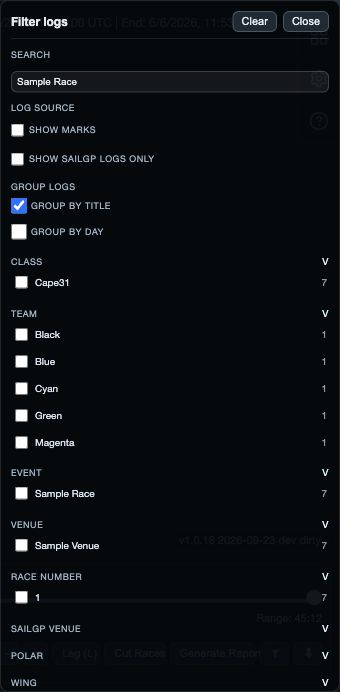
A boat or recording is missing
- Clear restrictive Library search and filters; check the date, title, event and archive view.
- Check that the log is open for analysis. Selecting a row for a library operation is a different action.
- Check fleet roles. A Hidden boat remains loaded but can be absent from an analysis view.
- If an import reported an error, read its result before repeating it. A file chosen in the picker is not proof of a completed import.
A view is empty or disagrees with another
- Expand the selected time interval to a period covered by the relevant boats.
- Check the selected leg, metric and filters. A metric may not exist in every recording.
- Compare like with like: an instantaneous value, interval average, distribution and selected maneuver answer different questions.
- Check speed units and bearing reference. Wind-dependent angles and VMG also require the correct wind setup.
Change one setting at a time so you can see which choice explains the difference. Preserve the original recording while investigating.
The displayed time or course is unexpected
- Compare time zones first. For example, 11:10 UTC and 13:10 GMT+2 are the same instant.
- Check whether you are reading the start/end selection or another time cursor.
- Inspect wind direction against the known course. A 180° reversal can swap the upwind and downwind interpretation.
- For a finish, check the line endpoints, extension, crossing direction and choice relative to the end reference.
A saved race is missing or ends incorrectly
Read the cutter’s added, skipped and failed counts. Then search the Library for the new title and open the result. Native creation does not automatically open the race logs.
Inspect every boat’s final point. The cutter can use the last recorded sample when no eligible finish is found, so a created file alone does not establish a correct finish.
If the checks do not explain it
Record the smallest set of steps that reproduces the problem, the selected boats and time interval, and the visible error. The support page explains how to send that information and separately share an original recording if needed.